Platform · Compliance
Give auditors the claim and the proof together.
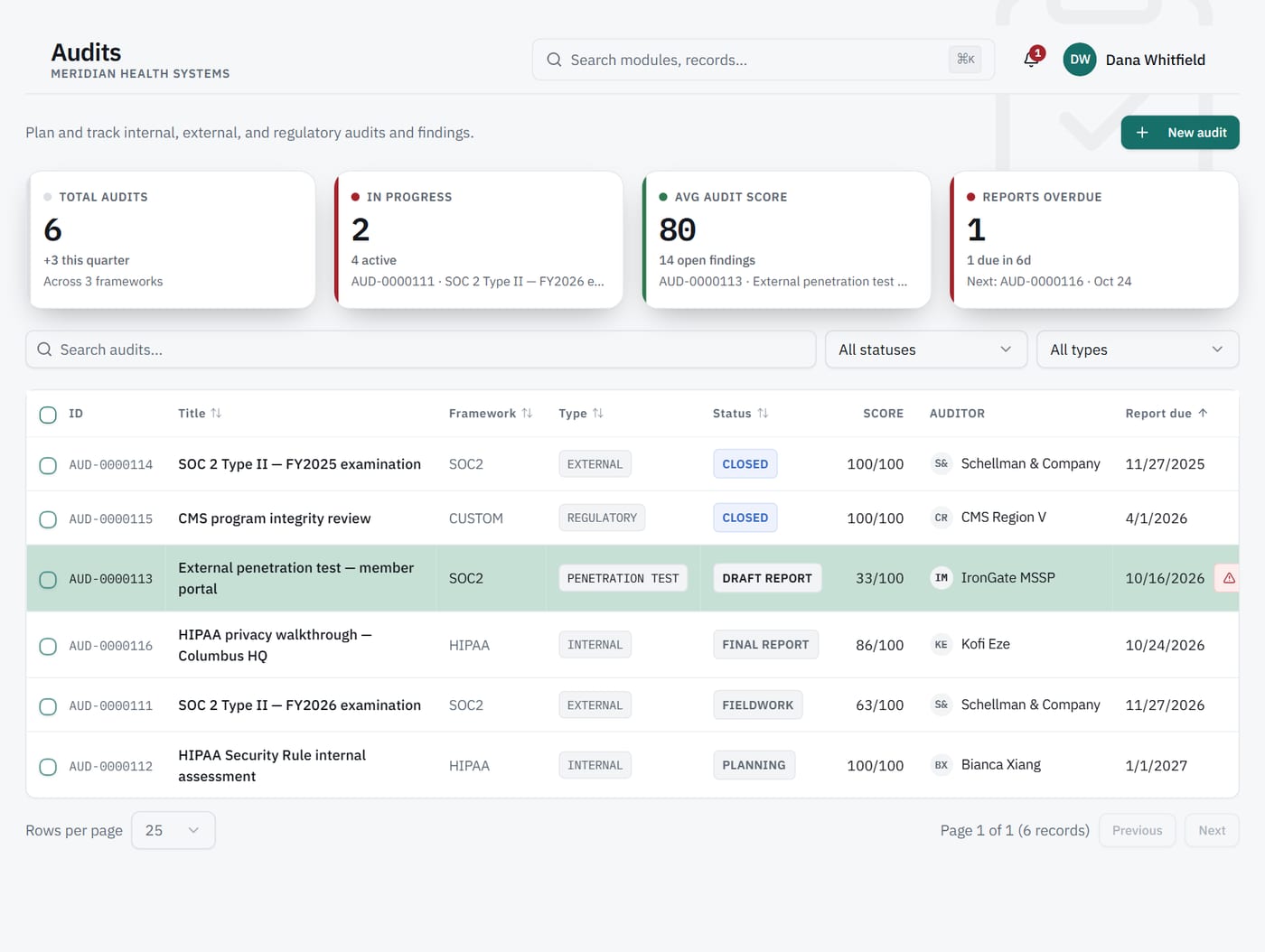
Each audit has its own findings and a live evidence package. Auditors work in a dedicated workspace and see every claim with its evidence.
- 4
- audit types
- Live
- evidence package per audit
1Evidence package
Stop rebuilding the binder for every audit.
Evidence copied into folders is out of date the day it is delivered. Each audit in Venevor carries a live evidence package. It reflects the latest results instead of a frozen copy.
2Auditor access
Auditor access, with export.
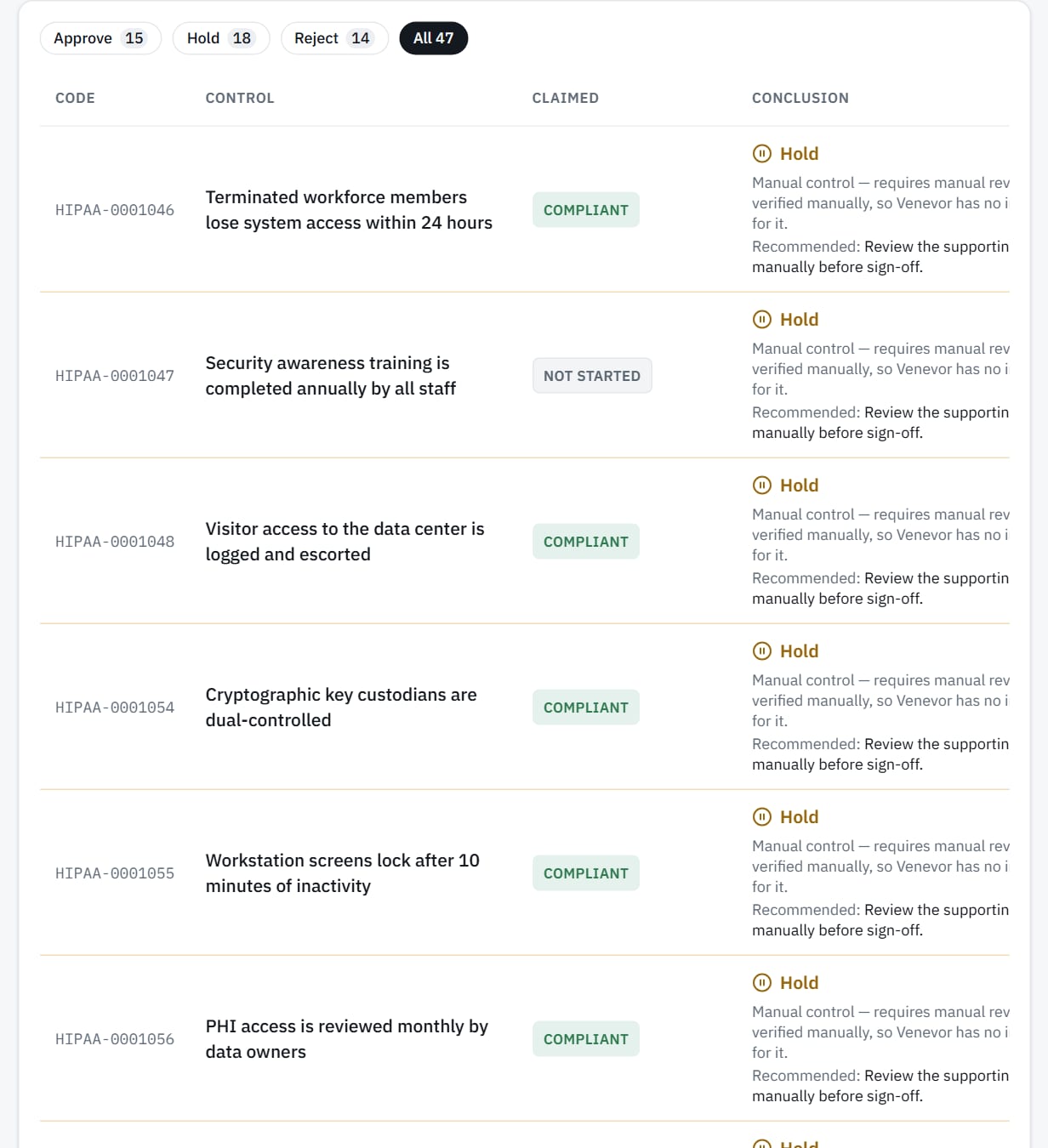
Auditors need to see the evidence without changing anything. The auditor workspace includes export, and auditors cannot change anything. Each claim is shown with the evidence behind it.
What it does
Shows each claim beside its evidence, with export.
What it never does
Give the auditor workspace a way to change records.
3Findings
Track findings where the audit lives.
Findings in email threads get lost between audits. Venevor keeps findings on the audit record. Four audit types cover the reviews you run.
Capabilities
What's included.
Four audit types
Set up each audit with the type that fits the review.
Live evidence package
Evidence for the audit reflects the latest check results.
Findings
Record and follow findings on the audit itself.
Auditor workspace
A dedicated view for outside reviewers.
Claim and evidence
Every claim opens to the evidence that supports it.
Export
Auditors can export what they review.
Works with
Connected to the rest of Venevor.
FAQ
Common questions.
Can an auditor change anything?
No. Auditors can view and export, and cannot change anything.
Is the evidence package a snapshot?
No. It is live, so it reflects the latest check results for the audit.
Do auditors see verified and asserted separately?
Yes. Each claim is shown with its evidence, and verified and asserted are never added together.
Make your next audit an open book.
Request a demo to see the auditor workspace and a live evidence package.